My Coffee Grinder Stopped Working: What To Check First
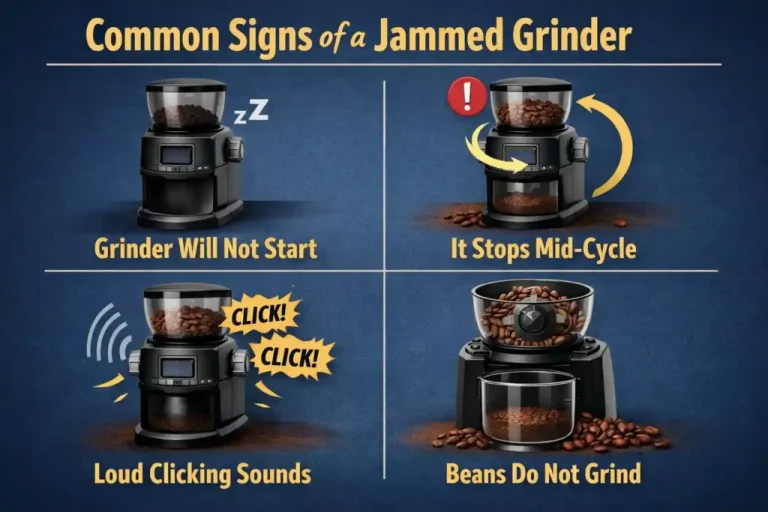
If your coffee grinder stopped working, first check power, then inspect for clogs in the grind chamber and burr issues.
There’s nothing quite like the panic that sets in when you’re ready for your morning brew, only to discover that your beloved coffee grinder has suddenly gone silent. It's a jolt to the system for any coffee enthusiast! As someone who's spent countless hours troubleshooting various kitchen appliances – and has a particular soft spot for anything that helps make a perfect cup of coffee – I understand that frustration completely. When my coffee grinder stopped working for the first time, I felt lost. But over the years, I've learned that many common grinder issues have simple fixes that you can tackle right at home. Don't throw in the towel just yet; let's dive into what to check first and get your coffee routine back on track.

The Immediate Checks: Power and Connections
It might sound incredibly basic, but trust me, after years of fixing things, I've seen countless "broken" appliances that just weren't plugged in. Before you panic about your coffee grinder stopped working, let's start with the absolute fundamentals. This simple step often saves a lot of headaches and unnecessary worry.
Is It Plugged In?
Seriously, double-check. Ensure the power cord is securely plugged into both the grinder and the wall outlet. Sometimes, a slight bump or pull can loosen the connection, leaving you wondering why your coffee grinder stopped working. It's an easy oversight, especially during a busy morning.
Outlet Issues?
If the grinder is definitely plugged in, the problem might be with the power source itself. Try plugging another small appliance, like a lamp or a phone charger, into the same outlet. If that item also doesn't work, you've likely found your culprit: a tripped circuit breaker or a faulty outlet. A quick flip of the breaker in your home's electrical panel often resolves this.
Cord Damage?
Carefully inspect the power cord for any visible signs of damage, such as fraying, cuts, or pinched spots. A damaged cord can prevent power from reaching the motor, causing your coffee grinder to stop working. If you find any damage, for safety reasons, it's best to discontinue use and consider getting the cord replaced by a professional or replacing the grinder.

Investigating the Grind Chamber: Clogs and Blockages
Once you've confirmed your grinder is receiving power, the next most common reason your coffee grinder stopped working is a blockage. Coffee grounds, especially fine ones or oily beans, can accumulate and jam the grinding mechanism. This is a common issue I've encountered many times, both with my own grinders and those of friends.
Why Coffee Grinders Clog
Coffee beans contain oils that, over time, can create a sticky residue, especially when mixed with very fine ground coffee. This residue can build up in the burrs or blades, the chute where the grounds exit, or even the collection bin. When enough of this gunk accumulates, it restricts the movement of the grinding components, leading to your coffee grinder stopped working or making strange noises before it completely gives out.
How to Safely Clear a Clog
Safety first! Always unplug your coffee grinder before attempting any cleaning or troubleshooting inside the grind chamber.
Here’s a general approach:
- Remove the hopper and collection bin: Take off all detachable parts.
- Access the burrs/blades: Depending on your grinder model (blade grinder or burr grinder), you might need to unscrew or twist off the upper burr or housing. Consult your user manual if you're unsure.
- Brush away debris: Use a stiff brush, a small vacuum cleaner attachment, or even a toothpick to carefully dislodge packed coffee grounds and oily residue. Be gentle to avoid damaging the burrs.
- Never use water directly on electrical components.
- Specialized grinder cleaning tablets: For burr grinders, you can also run specialized grinder cleaning tablets through it as directed. These are designed to absorb coffee oils and help dislodge old grounds.
My Personal Experience with Stubborn Clogs
I once had a conical burr grinder that developed a frustrating habit of stopping mid-grind, despite being relatively new. My coffee grinder stopped working seemingly at random. After checking the power countless times, I finally dug deep into the grind chamber. What I found was a thick layer of oily, compacted coffee dust around the lower burr and in the chute, especially noticeable after I had been experimenting with dark roast, oily beans. It required a thorough cleaning with a stiff brush and a small vacuum, and once cleared, it hummed back to life as if nothing had ever happened. This taught me the importance of regular, deep cleaning, especially when switching between different types of beans or grind settings.
Burr Problems: Wear, Misalignment, and Debris
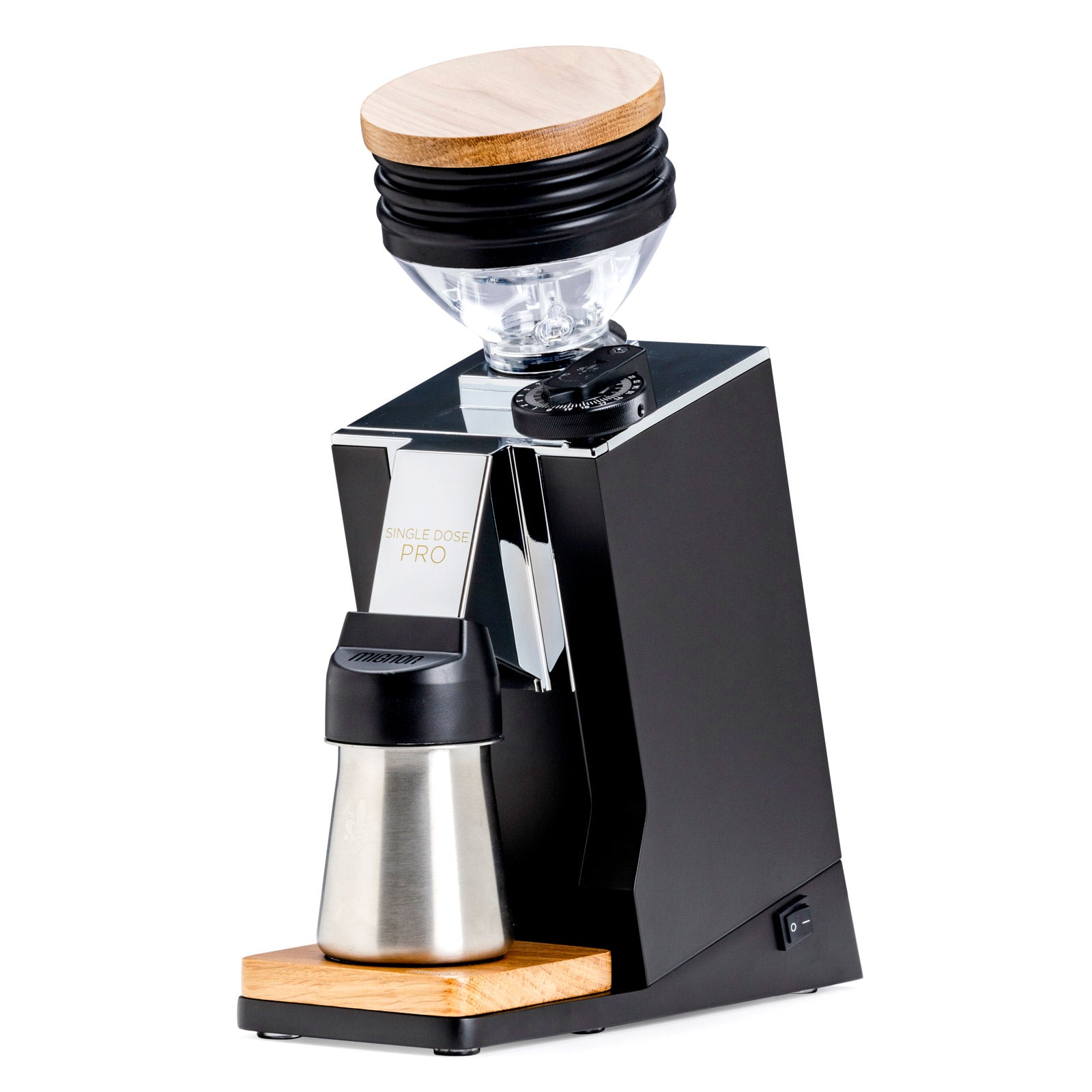
For those with burr grinders, the burrs are the heart of the operation. If your coffee grinder stopped working, or is producing an inconsistent grind, the burrs are definitely worth a closer look. They are precision tools, and any issue with them can significantly impact performance.
Types of Burrs and Their Importance
There are two main types of burrs: conical and flat. Both work by grinding coffee beans between two abrasive surfaces. Their design is crucial for achieving a consistent grind, which is essential for good coffee extraction. When these burrs are compromised, your coffee grinder stopped working as intended, leading to poor coffee quality or complete failure.
Checking for Burr Wear
Over time, burrs, even those made from hardened steel or ceramic, can wear down. Dull burrs struggle to grab and pulverize beans effectively, putting strain on the motor and potentially causing your coffee grinder to stop working.
To check for wear:
- Unplug the grinder.
- Remove the upper burr: Most burr grinders allow you to easily remove the top burr.
- Inspect the grinding surfaces: Look for smooth spots where the sharp edges have become rounded. If they feel significantly less abrasive than they should, they might need replacing.
Debris Between Burrs
Sometimes, foreign objects accidentally find their way into the bean hopper – small stones, sticks from poorly processed beans, or even forgotten scoop handles. If your coffee grinder stopped working abruptly, or made a harsh metallic sound before stopping, a foreign object jammed between the burrs is a likely cause.
- Unplug the grinder immediately.
- Carefully remove the upper burr.
- Visually inspect: Look for anything unusual caught between the burrs.
- Remove gently: Use tweezers or pliers to remove the object. Never force it out, as this could damage the burrs or motor.
Misaligned Burrs and Their Impact
Less common but equally problematic is burr misalignment. If the burrs aren't perfectly parallel or centered, they won't grind consistently and can even jam. This might be a factory defect or can occur if the grinder has been dropped or heavily bumped. If you've cleaned everything, checked for wear and debris, and your coffee grinder stopped working or sounds off, misalignment could be the issue. This often requires professional service or replacement, as precision is key for proper burr function.
Safety Features and Overload Protection
Modern coffee grinders, like many kitchen appliances, come equipped with safety features designed to prevent damage to the motor or overheating. If your coffee grinder stopped working suddenly after a period of intense use or trying to grind very hard beans, an internal safety switch might have been triggered.
Understanding Thermal Overload Switches
Many grinders have a thermal overload protection switch. This acts as a circuit breaker for the motor, shutting it off if it gets too hot or is working too hard (e.g., trying to grind too many beans at once, or struggling with a severe clog). It's a crucial component that prevents the motor from burning out. When your coffee grinder stopped working due to this, it's actually doing its job to protect itself.
Resetting the Grinder
If you suspect an overload switch was triggered, here’s what to do:
- Unplug the grinder: Always disconnect it from power first.
- Clear any blockages: Ensure there are no visible clogs in the grind chamber or burrs.
- Let it cool down: Give the grinder at least 20-30 minutes to cool completely. The thermal switch needs to reset itself, and this won't happen if the motor is still warm.
- Check for a reset button: Some grinders have a small, often recessed, reset button on the bottom or side. If yours does, press it after the cool-down period.
- Plug it back in: Try operating the grinder again.
Why Overload Happens
Overloading can occur for several reasons:
- Grinding too many beans: Filling the hopper to capacity and running it for a long duration can strain the motor.
- Grinding too finely: Extremely fine grinds require more effort from the motor and can generate more heat and lead to clogs.
- Grinding non-coffee items: Attempting to grind spices, nuts, or anything else not intended for a coffee grinder can quickly trigger the overload protection or cause damage.
- Motor aging: Older motors might be more prone to overheating even under normal loads.

Source: kaapimachines.com
Motor Issues and Internal Malfunctions
While many issues can be fixed with a bit of cleaning and troubleshooting, sometimes your coffee grinder stopped working because of a more serious internal problem, specifically with the motor. This is less common for well-maintained grinders but can happen over time or due to a manufacturing defect.
Signs of a Failing Motor
A failing motor can manifest in several ways before completely giving out. If you notice any of these, it might indicate a motor issue:
- Grinder hums but doesn't grind: You might hear the motor trying to work, but the burrs or blades aren't moving.
- Intermittent operation: The grinder works sometimes, but cuts out randomly.
- Burning smell: A distinct smell of burning plastic or electronics is a sure sign of an overworked or failing motor.
- Excessive heat: The grinder casing becomes unusually hot to the touch even during short periods of use.
- Weak grinding: The grinder sounds weak, struggles to process beans, or takes much longer to grind than usual.
When to Call a Professional or Consider Replacement
Diagnosing and repairing motor issues often requires specialized tools and knowledge of electrical components. Unless you're an experienced appliance repair technician, attempting to fix a motor yourself can be dangerous and might void any warranty.
Consider these options if you suspect a motor issue and your coffee grinder stopped working for good:
- Check warranty: If your grinder is still under warranty, contact the manufacturer. They might offer repair or replacement.
- Professional repair: For high-end grinders, it might be cost-effective to seek a professional appliance repair service.
- Replacement: For entry-level or mid-range grinders, especially if they are several years old, the cost of repair might approach the cost of a new unit. Sometimes, replacing the grinder is the more practical and economical solution.
Source: breville.com
Addressing Common Misconceptions About Grinder Malfunctions
When my coffee grinder stopped working, I used to jump to conclusions, just like many people do. It’s easy to assume the worst, but understanding some common misconceptions can save you time and money.
"It's Always the Motor"
This is perhaps the most common misconception. While a motor failure is serious, it's far less frequent than issues like clogs, power interruptions, or tripped overload switches. In my experience, probably 70-80% of the time a grinder stops working, it’s due to a blockage or a power supply issue that can be easily resolved. So, before you lament that your coffee grinder stopped working permanently due to a dead motor, check the simpler things first!
"Cleaning Is Optional"
Some people view grinder cleaning as an unnecessary chore, believing that coffee residue "seasoning" the grinder is a good thing. However, as we discussed, accumulated coffee oils and grounds are a primary cause of clogs that can make your coffee grinder stop working. Regular cleaning not only prevents malfunctions but also ensures optimal flavor by removing stale coffee residue that can impart bitter tastes to your fresh beans. Treat your grinder to a regular cleaning, and it will thank you with reliable performance.

Frequently Asked Questions of My Coffee Grinder Stopped Working — What to Check First
Why does my coffee grinder hum but not grind?
This usually indicates that the motor is receiving power but cannot turn the burrs or blades, likely due to a severe clog, a foreign object jammed between the burrs, or a mechanical issue preventing rotation.
How often should I clean my coffee grinder to prevent it from stopping?
For daily users, a quick clean of the grind chamber every week or two, and a deeper clean (disassembling burrs) once a month, can significantly prevent clogs and ensure your coffee grinder doesn't stop unexpectedly.
Can old coffee beans cause my grinder to stop working?
Yes, older or very oily dark roast coffee beans can contribute to faster residue buildup, increasing the likelihood of clogs that can cause your coffee grinder to stop working.
Is there a specific type of coffee grinder more prone to stopping?
While all grinders can experience issues, blade grinders are generally more prone to overheating and uneven grinding, and cheaper burr grinders might have less robust motors or burr sets that are more susceptible to jamming or wear.
What should I do if my coffee grinder gets wet and stops working?
Immediately unplug it and allow it to dry completely, ideally for several days, before attempting to plug it in again. If it still doesn't work, there might be internal electrical damage, and it should be professionally inspected or replaced.
Conclusion
Finding that your coffee grinder stopped working can throw a wrench in your morning, but as we've explored, many of these issues are surprisingly simple to diagnose and fix. From the basic checks like ensuring it's plugged in and the outlet is working, to diving into the grind chamber for stubborn clogs or inspecting the burrs for wear and debris, there's a methodical approach to getting your grinder back in action. Remember, regular maintenance, especially cleaning, is your best defense against your coffee grinder stopped working unexpectedly.
Don't let a silent grinder ruin your day. Take a deep breath, follow these steps, and most likely, you'll be enjoying that perfectly ground coffee again in no time. If these tips helped you troubleshoot your grinder, or if you have a unique fix you discovered, share your experience in the comments below! We're all part of the coffee-loving community, and sharing knowledge helps us all brew better.